Automatically Add Items To Orders
Auto-Add Items to Orders
The Auto-Add Items feature in Order Dispatch allows you to automatically add predefined items to orders when specific conditions are met. This is commonly used for:
- Free gifts when customers spend over a threshold
- Promotional inserts for specific sales channels
- Complimentary items when orders are resent
This automation ensures consistency and removes the need for manual order editing.
How It Works
When an order is synced from a sales channel (e.g. Amazon, eBay, Shopify), Order Dispatch evaluates your configured rule sets.
If the conditions in a rule set are met, the system will:
- Add the specified item(s) to the order
- Apply the defined quantity and price
- Continue evaluating other rules (unless configured to stop)
Where to find it
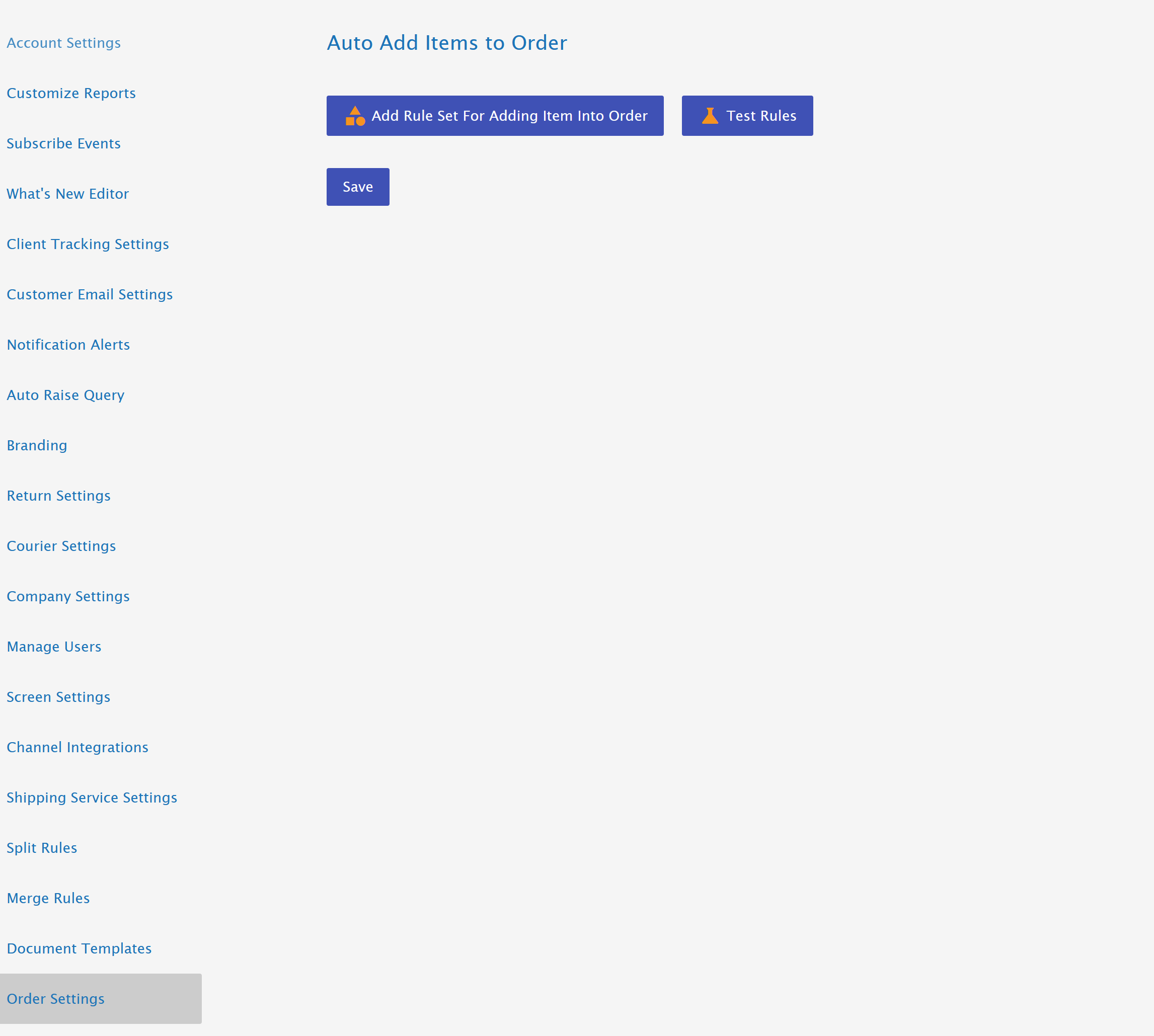
The Auto-Add Items settings can be found in the main menu, under Settings, then Order Settings
Rule Sets Overview
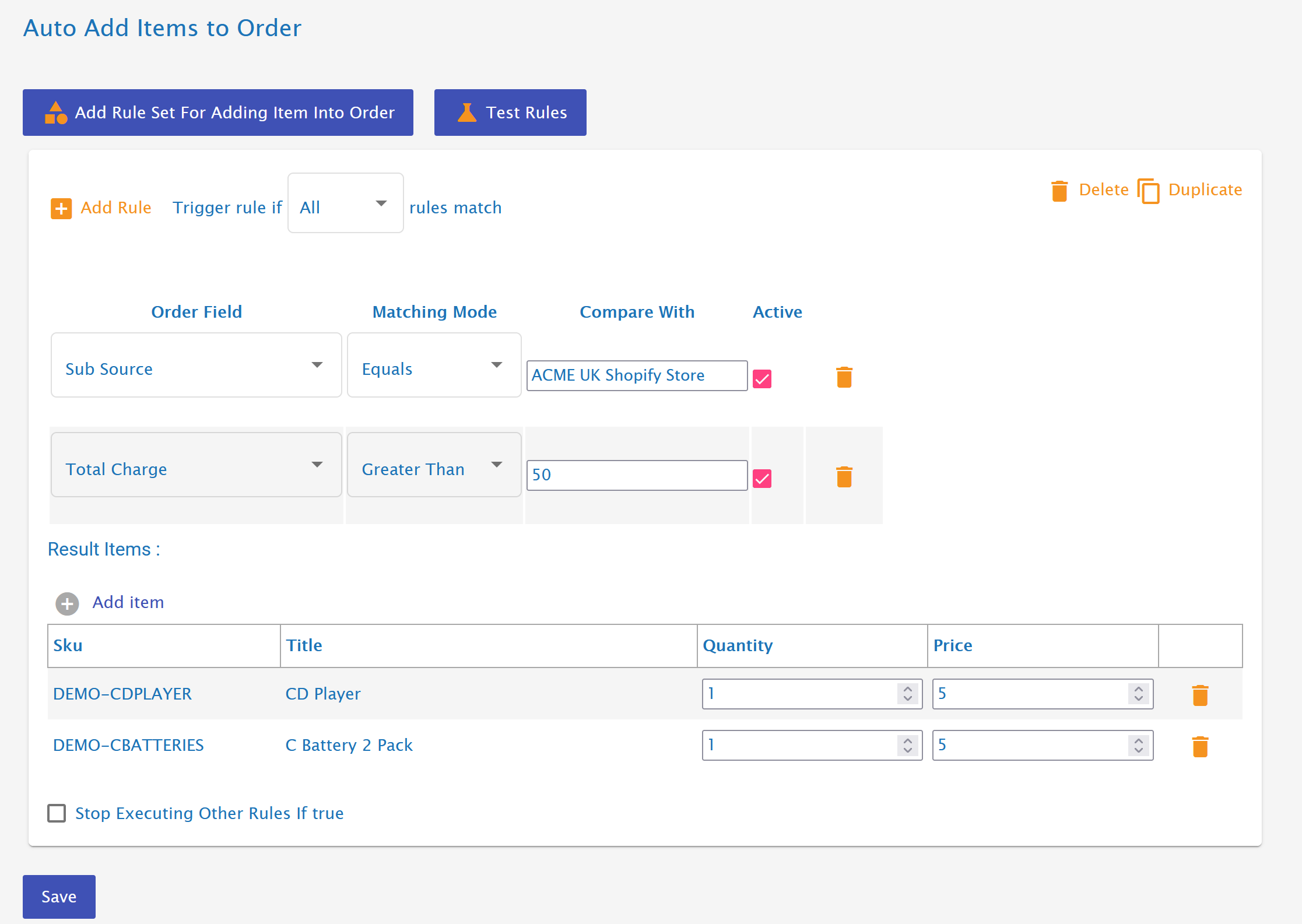
- You can create multiple rule sets.
- Each rule set can contain multiple rules (conditions).
- Rules can be configured to match:
- All rules (AND logic)
- Any rules (OR logic)
- A rule set can be configured to stop executing other rules if true, giving it precedence.
This allows for both simple and advanced automation scenarios.
In the example below, an order from 'ACME UK Shopify Store' with an order value over £50* will have a CD player and batteries added to the order for free.
Available Rule Conditions
SubSource
The specific account or store within a channel.
Example:
ACME UK ShopifyAmazon EU Marketplace
Useful when managing multiple stores on the same platform.
Reference
Matches text within the order reference.
Some channels append codes to order references which can be used to trigger item additions.
Example uses:
- Add customs documentation item if reference contains
INT - Add promotional insert for campaign codes
Order Status
Matches the type of order event.
Options include:
- New Order
- Resend Order
Common use case:
Add a replacement item automatically when an order is resent.
Total Weight
Matches the total shipping weight of the order.
Example uses:
- Add heavy-parcel documentation
- Include special packaging for large shipments
Total Charge
Matches the total amount paid by the customer.
Example uses:
- Free gift for orders over £50
- Promotional insert for high-value customers
Item SKU
Checks whether a specific SKU exists in the order.
Example uses:
- Add accessory when a main product is purchased
- Include warranty card for specific items
Country
Matches the shipping destination country.
Example uses:
- Add customs declaration items for international orders
- Include region-specific marketing inserts
Rule Execution Order & Precedence
Rule sets are evaluated in sequence.
If Stop executing other rules if true is enabled:
- Once the rule set matches and items are added, no further rule sets will run.
- This is useful when one rule should override all others.
Example:
A rule adding a customs item for international orders may stop further promotional inserts from being added.
Common Use Cases
🎁 Free Gift Promotion
- Condition: Total Charge > £50
- Action: Add free gift SKU
🌍 International Customs Item
- Condition: Country ≠ UK
- Action: Add customs declaration item
🔁 Resend Order Replacement
- Condition: Order Status = Resend Order
- Action: Add replacement item automatically
🛍 Channel-Specific Inserts
- Condition: Source = Shopify
- Action: Add branded leaflet
Tips & Best Practices
- Use Stop executing other rules to prevent duplicate inserts.
- Use SubSource when running multiple stores on one platform.
- Test rules with sample orders to ensure correct behaviour.
- Keep rule sets organised and clearly named.